ElixirにおけるCircleCI設定
ElixirにおけるCircleCI設定を簡単ですが纏めておきます
parroty/excoveralls導入
カバレッジ率を取って一喜一憂したいので、parroty/excoveralls を導入します
mix.exs に追加します
def project do    [      app: :【あなたのアプリ名】,      version: "0.0.1",      elixir: "~> 1.4",      elixirc_paths: elixirc_paths(Mix.env),      compilers: [:phoenix, :gettext] ++ Mix.compilers,      start_permanent: Mix.env == :prod,      aliases: aliases(),      test_coverage: [tool: ExCoveralls], ←◯追加      preferred_cli_env: ["coveralls": :test, "coveralls.detail": :test, "coveralls.post": :test, "coveralls.html": :test], ←◯追加      deps: deps()    ]  end
〜省略〜
  defp deps do    [      {:phoenix, "~> 1.3.3"},      {:phoenix_pubsub, "~> 1.0"},      {:phoenix_ecto, "~> 3.2"},      {:postgrex, ">= 0.0.0"},      {:phoenix_html, "~> 2.10"},      {:phoenix_live_reload, "~> 1.0", only: :dev},      {:gettext, "~> 0.11"},      {:excoveralls, "~> 0.9", only: :test}, ←◯追加      {:cowboy, "~> 1.0"}    ]  end
その後、 mix deps.getして mix coverallsするといい感じにカバレッジ取れます
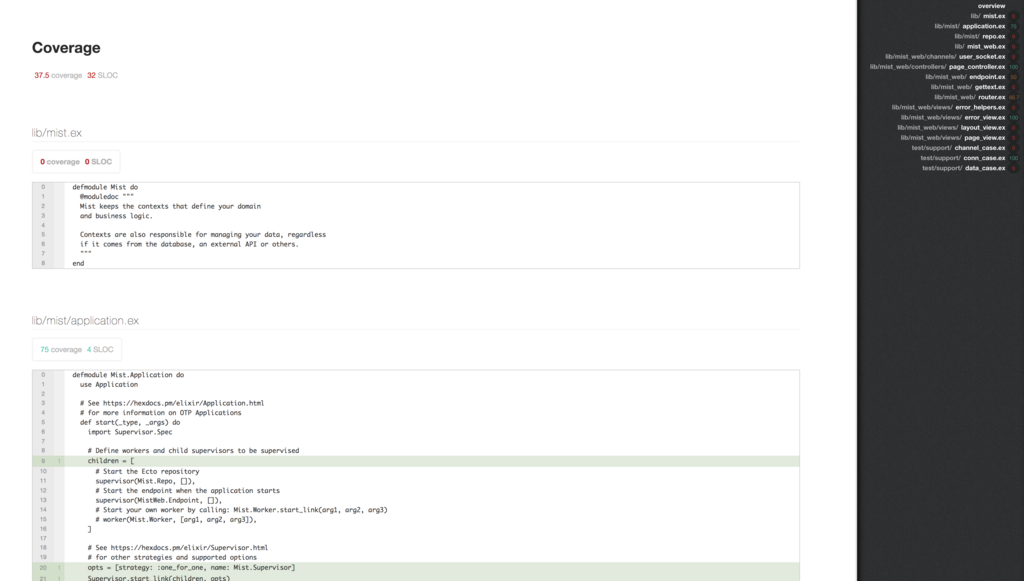
mix coveralls.html を使うとHTMLで見れてカッコいい感じです
CircleCI導入
FusicではCircleCIを利用しています
CircleCIにてADD PROJECTS
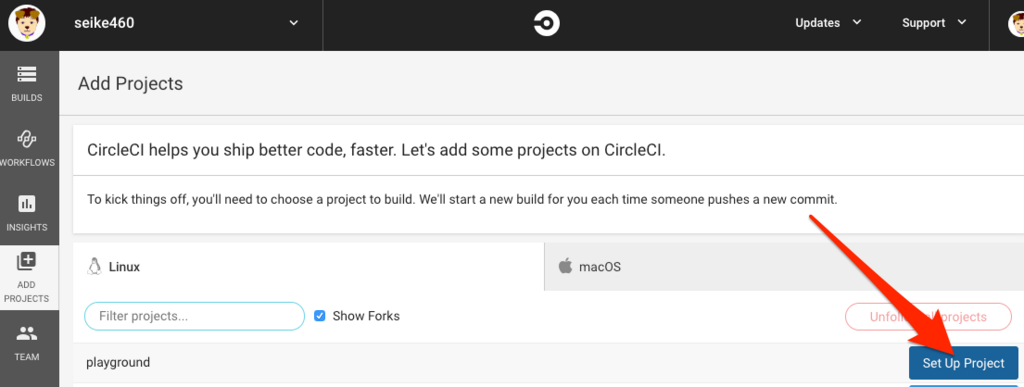
Operating System にLinux、Language にElixirを選択するとsampleが表示されますので
Repositoryに.circleci/config.ymlに配置します
CircleCIが提供するElixirのContainerImageが若干古かった(当時1.4)だったので
1.6を使うように変更したり、カバレッジを取るようにしました
# Elixir CircleCI 2.0 configuration file## Check https://circleci.com/docs/2.0/language-elixir/ for more detailsversion: 2jobs:  build:    docker:      # specify the version here      - image: circleci/elixir:1.4
      # Specify service dependencies here if necessary      # CircleCI maintains a library of pre-built images      # documented at https://circleci.com/docs/2.0/circleci-images/      # - image: circleci/postgres:9.4
    working_directory: ~/repo    steps:      - checkout
      # specify any bash command here prefixed with `run: `      - run: mix deps.get      - run: mix ecto.create      - run: mix test
↓
# Elixir CircleCI 2.0 configuration file## Check https://circleci.com/docs/2.0/language-elixir/ for more detailsversion: 2general: ←◯追加 artifacts: ←◯追加 - "cover/excoveralls.html" ←◯追加jobs: build: docker: # specify the version here - image: circleci/elixir:1.6 ←△変更 environment: ←◯追加 MIX_ENV: test ←◯追加 # Specify service dependencies here if necessary # CircleCI maintains a library of pre-built images # documented at https://circleci.com/docs/2.0/circleci-images/ - image: circleci/postgres:10.4 ←△変更 working_directory: ~/repo steps: - checkout - run: echo 127.0.0.1 【開発環境用postgresqlContainer名】 | sudo tee -a /etc/hosts ←◯追加 ※1 # specify any bash command here prefixed with `run: ` - run: mix local.hex --force ←◯追加 - run: mix local.rebar --force ←◯追加 - run: mix deps.get - run: mix ecto.create - run: mix coveralls.html ←◯追加 - store_artifacts: ←◯追加 path: cover/excoveralls.html ←◯追加 destination: cover/excoveralls.html ←◯追これで、excoveralls.html にてカバレッジの状況を確認することが出来ます
※1で /etc/hostsを置き換えている理由を説明します
開発時は ElixirとPostgresqlのContainerは分けているので
Container間のつなぎ込みは名前解決で対応しています
mix.exs のテスト用指定が test になっているので、
環境変数は MIX_ENV:test として開発環境Containerと
CircleCIのContainerの設定ファイルは config/test.exs 共通化して
設定ファイルの管理を楽にしたいです
なので、 MIX_ENV:test として設定ファイルを共通化しながら、
CircleCI側の名前解決(127.0.0.1)を開発環境用の名前解決と合わせることで
上記問題を解決しました。
その後CircleCIにSlackの設定やAWSの設定を行なってますが今回は割愛します